Translating a Comic into Chinese with Sidekick
Claude translated two Moebius pages into Dutch and Simplified Chinese and lettered them in InDesign through Sidekick, a layer per language. Then it turned the method into a skill you can download.
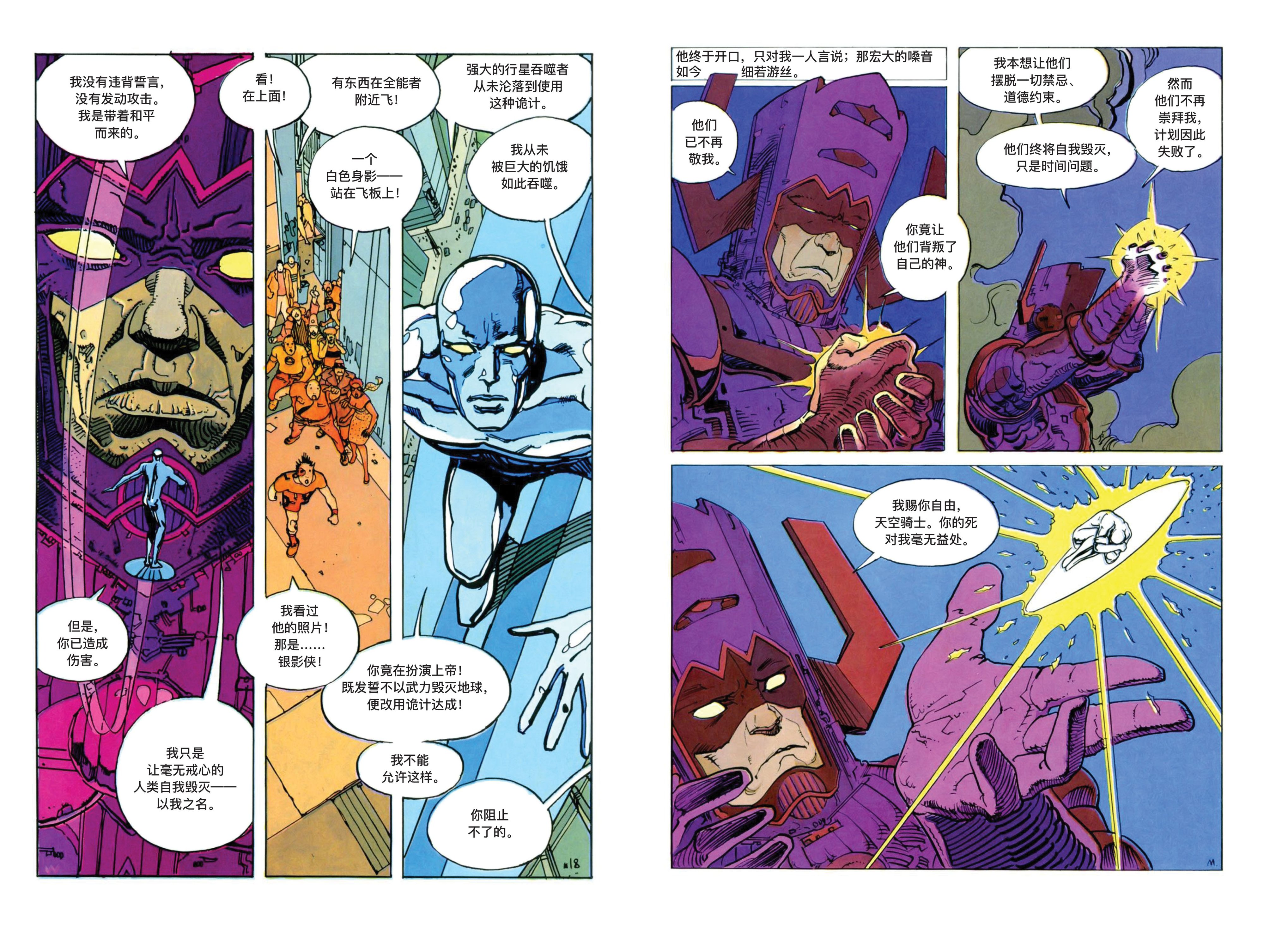
This is page 18 of Silver Surfer: Parable, drawn by Moebius in 1988. On the left the original. In the middle the same page in Dutch, on the right in Simplified Chinese. Claude did the translation and the lettering, in InDesign, through Sidekick.
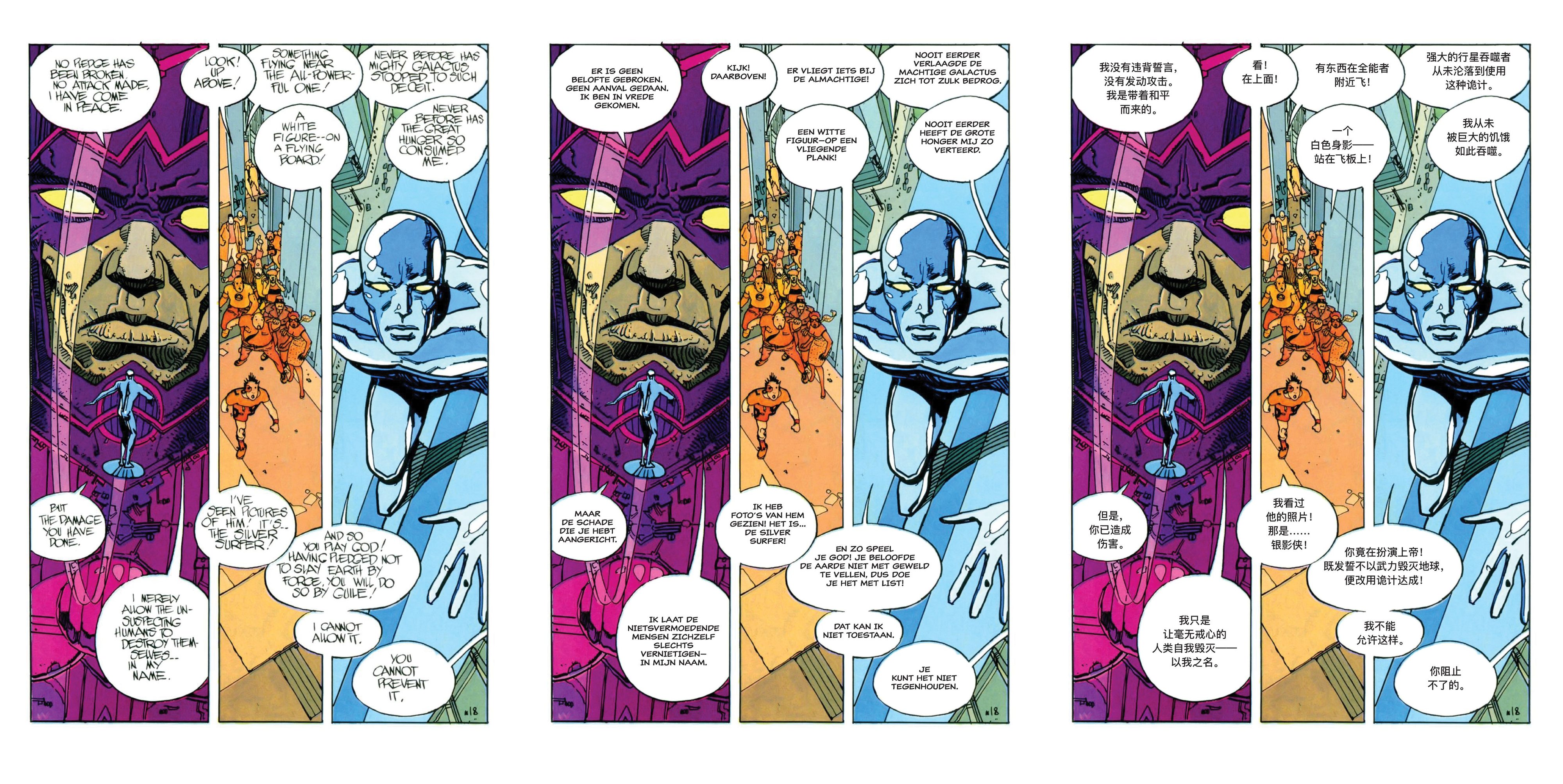
None of this is a flattened image. Each language is its own InDesign layer above the artwork. On it, a white cover hides the English in every balloon, and the translation sits on top in an ordinary text frame with an ordinary paragraph style. Switch a layer off and the English is back. Want a different word? Click in the balloon and type.
Then I asked Claude to turn what it had worked out into a skill, and used that skill on page 14. That page came out right without a correction from me. The skill is at the end of this post, ready to download.
Why Moebius’s balloons are hard
Moebius didn’t leave the lettering to someone else. He lettered Parable himself, by hand, and you can tell. His balloons are not ovals. They are drawn shapes, a little lopsided, with flat sides where they meet a panel border and bulges where the words needed room. The words were drawn into the shape: a line runs long because the balloon is wide there, and the balloon is wide there because the line is long.
A translation breaks that bond. Dutch runs longer than English, and Chinese is a different shape altogether. To re-letter a page, a letterer has to cover the original text in every balloon without touching the black outline, translate it, pick a size, and break the lines so the text sits evenly inside a shape somebody else drew by hand. Twelve times, on this page.
A year ago I couldn’t get any model to do this. Not badly: at all. Two things changed. The models did (this was Claude Opus 5.5). And Sidekick learned to give the model a sharp view of small parts of a page: its snapshot tool can render a region of a page at full detail, so Claude can zoom in on a balloon outline, a one-millimetre gap, or the place where two balloons touch, and actually see it.
The video
First find a way, then make it a skill
I did this in a deliberate order: find a way on one page, with me watching; let Claude write down what it learned as a skill; then use the skill on the next page.
The order matters because the first page is where the knowledge comes from. Nobody hands Claude a method for lettering Moebius. It has to find one, and some of what it finds only shows up when a person looks at the result and says “that’s not right”. If you write the skill before that, it contains guesses. If you write it after, it contains what actually worked, including the fix for what didn’t.
My brief for page 18 didn’t describe a method. It said what a designer would ask for: a Dutch and a Simplified Chinese version, each on its own layer, white covers over the English, and text that sits nicely in the balloons. How to get there was left to Claude.
Page 18: measuring before lettering
Claude started by looking at the page through Sidekick: the document I had open, not a copy. It counted twelve balloons on a single locked artwork layer. Then it did something I hadn’t asked for: it put a temporary measuring grid over the page, on a layer of its own, and measured the balloons against it, snapshot by snapshot, zooming in on one group of balloons after another.
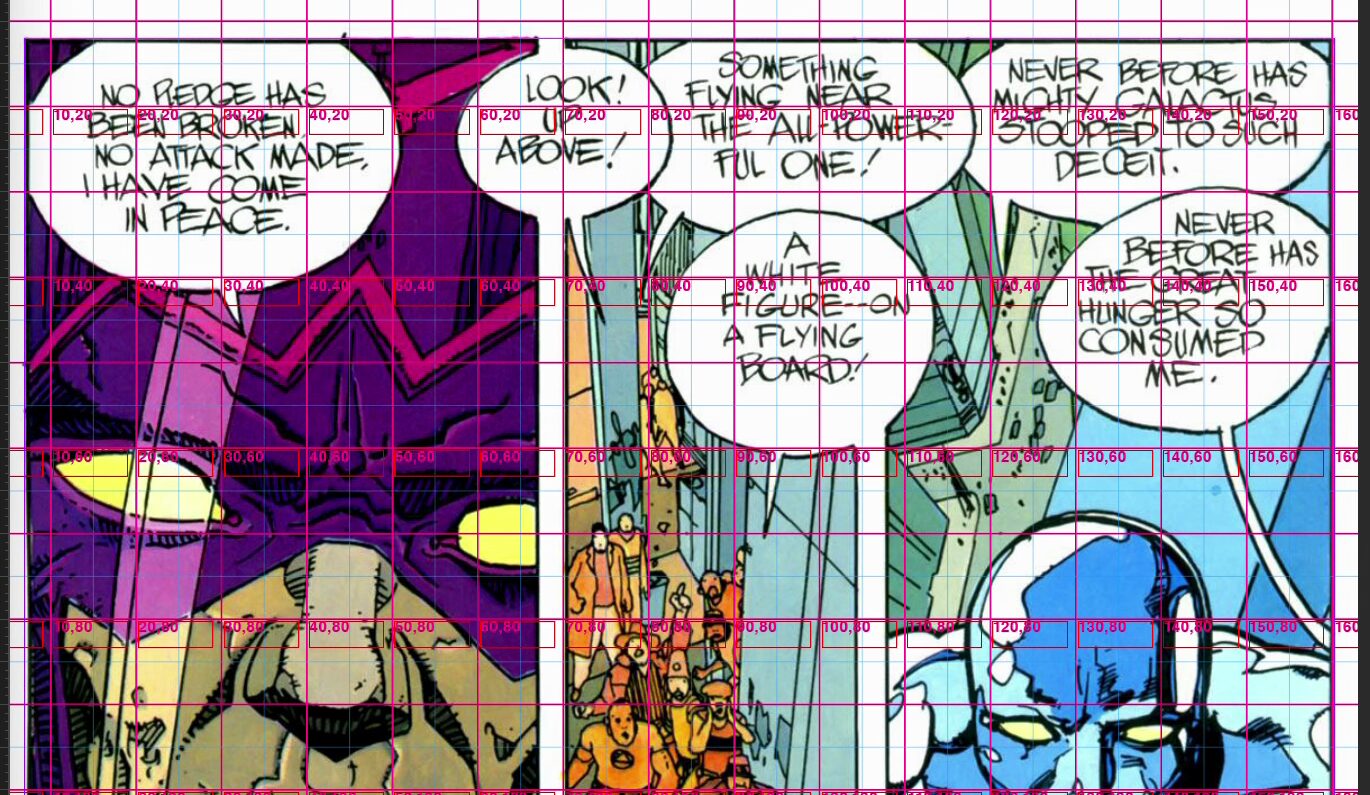
Then the type. Claude didn’t guess how wide a line would be. It measured the translated lines in InDesign itself, with the real fonts, and looked for one size per language that fits every balloon. One size per language is what a letterer would do: a page where every balloon has its own size looks restless. On this page the size came out at 7.5 pt for the Dutch, in Classic Comic, and 10 pt for the Chinese, in PingFang SC Medium. The narrowest balloon decides the size for the whole page, so instead of shrinking everything, Claude reworded the one line that was holding the rest back.
It also centred each line optically: on its ink, not on its frame. All-caps lettering and Chinese lines that end in a full-width full stop both look off-centre when you centre the box; centring the visible letters fixes that.
Where it struggled
This was not a smooth ride, and it’s worth saying where it went wrong.
It took me several recording attempts before I had a take I wanted to show. In early attempts the type came out too small: it fitted, but it was smaller than a letterer would set it.
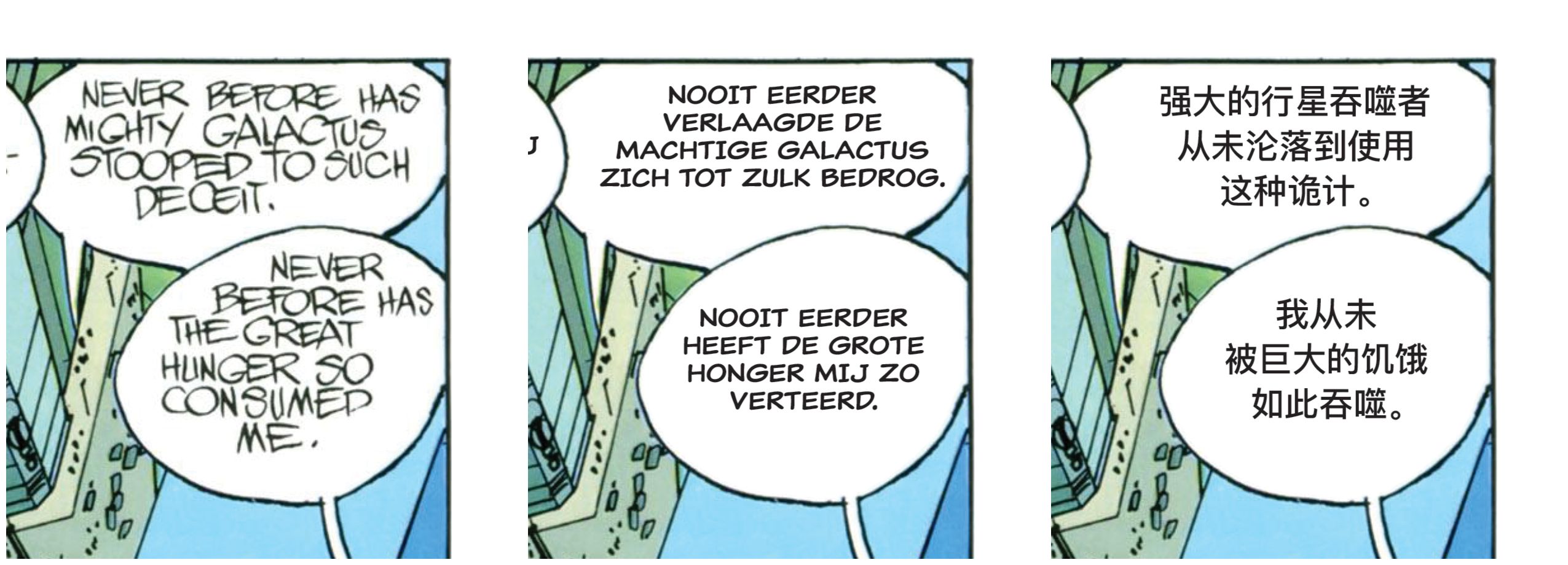
And on page 18, the first finished version had a flaw you only see up close. The white covers were shapes Claude had estimated from its measurements, and wherever Moebius’s hand-drawn balloon was tighter than the estimate, the white bit into his black outline. On screen, at page size, it looked fine. Zoomed in, the borders were chipped. A letterer would spot that immediately, and I did. So I told Claude:
The white shapes are chipping into the black outlines of the balloons. Keep every cover just inside the outline, so Moebius's borders stay intact.
Claude then stopped estimating. It traced every balloon from the scan itself, finding the white paper inside each outline, and pulled each cover just inside the line, so the outline keeps its full weight. That correction took about eight minutes, most of it thinking. After it, the borders were intact.
This is a hard problem. A comic page is not a layout with boxes in it. It’s a drawing, and the places where text may go are part of the drawing.
The Chinese
The Chinese is Simplified Chinese, set horizontally from left to right. That is how comics are usually read in mainland China, Singapore and Malaysia. For readers in Taiwan or Hong Kong you would choose Traditional characters, often set vertically, which is a different job; I didn’t build that.
A few rules Claude followed that you might not see at first glance:
- Full-width punctuation: ,。!? and the six-dot ellipsis ……, the way Chinese text sets them.
- No punctuation at the start of a line. A comma or full stop never opens a line, and an ellipsis or dash is never split.
- Optical centring, because a full-width full stop sits low and to the left of its square, leaving empty space that throws a centred line off.
- Names as in the Chinese Marvel editions: the Silver Surfer is 银影侠, Galactus is 行星吞噬者.
The Chinese has not yet been checked by a native reader.
Turning it into a skill
With page 18 done, I asked Claude to turn everything it had done into a skill: the method, its scripts, and the lessons from this page, including the fix for the covers and the rules for setting Chinese. Like in From Session to Skill, the point is that the next page starts with what the first one taught.
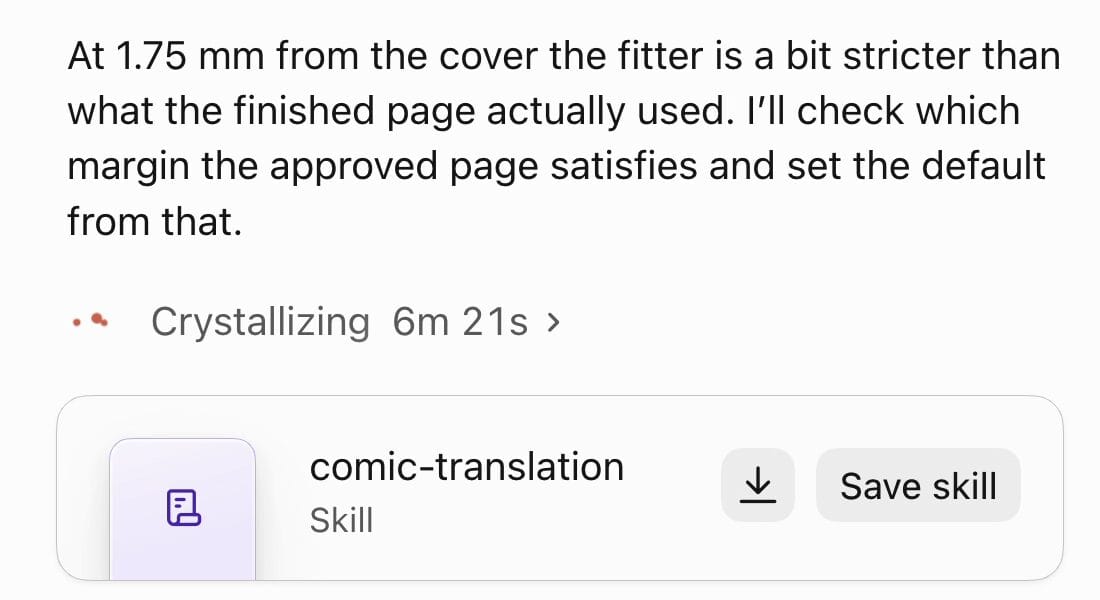
It took Claude about six and a half minutes. The skill it wrote contains:
- SKILL.md, the instructions: inspect the document, map the balloons with a temporary grid, trace the covers, translate and break lines, measure and fit one size per language, build a layer per language, verify up close, clean up.
- References: the lessons from page 18 (the chipped covers and their fix, what went wrong while tracing, InDesign quirks), lettering rules for Latin scripts, the Chinese typesetting rules, and the settings for the tracer.
- Two Python scripts:
trace_covers.pytraces each cover just inside its balloon outline from Sidekick’s snapshots, andfit_sizes.pyworks out the largest size each balloon allows and where each line’s ink should sit. - Six InDesign scripts that Claude runs through Sidekick: the temporary grid, measuring lines, building a language layer, optical centring, updating covers, and finishing up.
Claude hands it over as a card in the chat, with a Save skill button that adds it to your skills.
Page 14, with the skill
Then a new chat, with no memory of page 18, and a short brief: use the comic-translation skill on page 2 of the document (that’s page 14 of the comic), in the same two languages.
Before doing anything, Claude read how page 18 had been set, so both pages would match: Dutch Classic Comic at 7.5 pt, Chinese PingFang SC Medium at 10 pt. It put the measuring grid down, measured, and hid the grid again a little over two minutes in.
Page 14 has something page 18 doesn’t: a rectangular caption box at the top, and a piece of Galactus’s helmet reaching up into it. Moebius lettered around that horn; the English reads “A PALE ___ WHISPER”, with the drawing in the gap. Claude kept the drawing visible and set the translation around it, the way Moebius drew it.
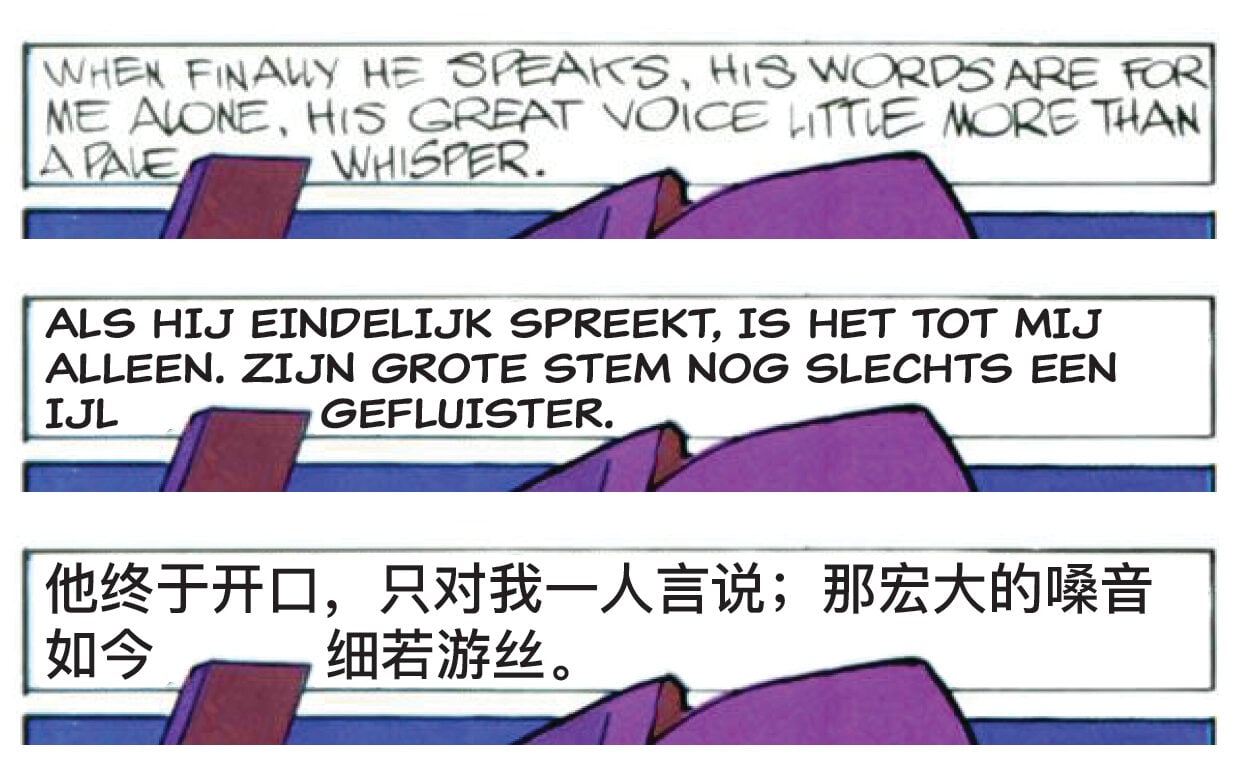
Then the lettering went on, both languages, and I didn’t have to correct anything.
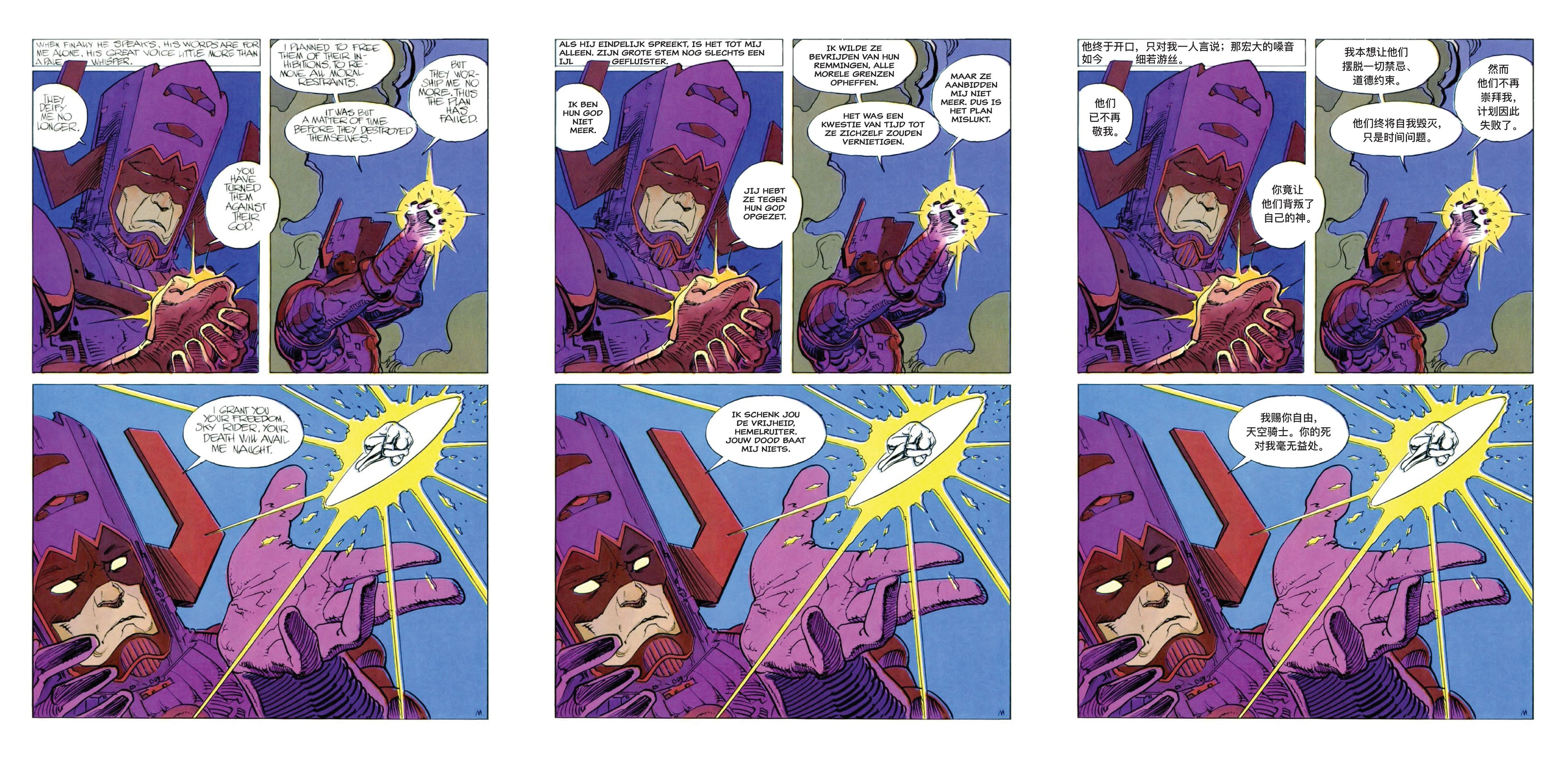
Was it better the second time?
Here is what I measured, and no more than that.
Page 18 took about 17 minutes from my brief to the finished page, plus one correction from me that took another 8. Page 14, with the skill, took about 17 minutes and needed no correction. But page 14 has 7 text areas and page 18 has 12, so I won’t claim it was faster. What I will claim: with the skill it came out right the first time, with less effort from me. The covers didn’t chip, because the skill starts by tracing them; the type matched the first page, because the skill starts by reading it.
So far the skill has been used on these two pages of one comic. The version you can download, 1.1.0, fixes a bug I found afterwards, where rebuilding one page could wipe another page’s lettering: on a copy of the document, rebuilding page 2 now leaves page 1’s lettering identical. If you try the skill on something else, I’d like to hear how it goes.
Download the skill
Claude skill · 31 KB · 13 files
comic-translation.skill
You'll need Claude Desktop with code execution switched on, and Sidekick connected to InDesign.
Download it on the computer where Claude Desktop runs.
Then, in Claude Desktop
- In Settings → Capabilities, switch on code execution (called “Code execution and file creation” or “Create and edit files”, depending on your version). Skills need it.
- In Customize → Skills, click +, then Create skill, then Upload a skill, and choose the file you downloaded.
- Switch the skill on in your list of skills.
The .skill file is a ZIP archive. If the upload won’t accept it, rename it to comic-translation.zip and try again.
What's inside
- SKILL.md
- references/chinese-typesetting.md
- references/trace-config.md
- references/lettering-rules.md
- references/lessons.md
- scripts/fit_sizes.py
- scripts/trace_covers.py
- scripts/indesign/04_optical_center.js
- scripts/indesign/05_update_covers.js
- scripts/indesign/02_measure_lines.js
- scripts/indesign/03_build_layer.js
- scripts/indesign/06_finalize.js
- scripts/indesign/01_temp_grid.js
These steps follow Anthropic’s article Use skills in Claude; the menus move now and then, so check there if yours look different.
The skill works through Sidekick, so you need Sidekick connected to InDesign, with the comic page placed in a document. The balloon tracing runs in Python on the snapshots Sidekick takes; I ran it in Claude Desktop with a folder connected. The scripts need numpy, OpenCV and SciPy, and the skill tells Claude to install them when they’re missing. Then open a chat and ask for what you want, for example: translate the comic page in my open document into Dutch, each language on its own layer.
What comes out is an InDesign document you can still work on: layers you can switch, styles you can change, and every word editable. The slow part of lettering a translation is something you can now hand over, and still check, and still correct, in your own InDesign.