Billing — Help
How to Get a Receipt or Invoice
Download the receipt for your Sidekick for InDesign subscription from FastSpring, add a PO number, and what to do if you can't find the purchase email.
You can download the receipt yourself in a couple of minutes. You’ll need access to the inbox of the person who subscribed.
Step 1: Open the FastSpring account page
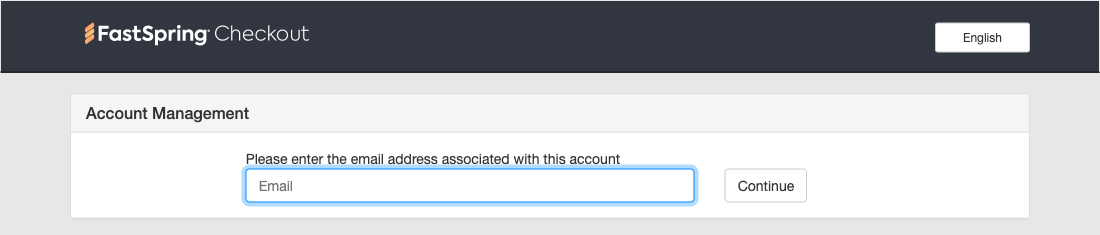
Go to ccexchangecontextual.onfastspring.com/account. This is where FastSpring, Adobe’s payment partner, keeps the orders made on Adobe Exchange.
Step 2: Enter the email address used to subscribe
Type in the email address that was used at checkout and click Continue. That’s the address that received an email from FastSpring Checkout ([email protected]) saying “your subscription to Sidekick for InDesign was successfully activated”. It isn’t necessarily the address you sign in to Adobe with.
Step 3: Click the link in the email
FastSpring sends an email titled “here is a link to manage your orders”. It usually arrives within a minute. Click Click here to manage your orders. The link works for 24 hours.
Step 4: Open the invoice
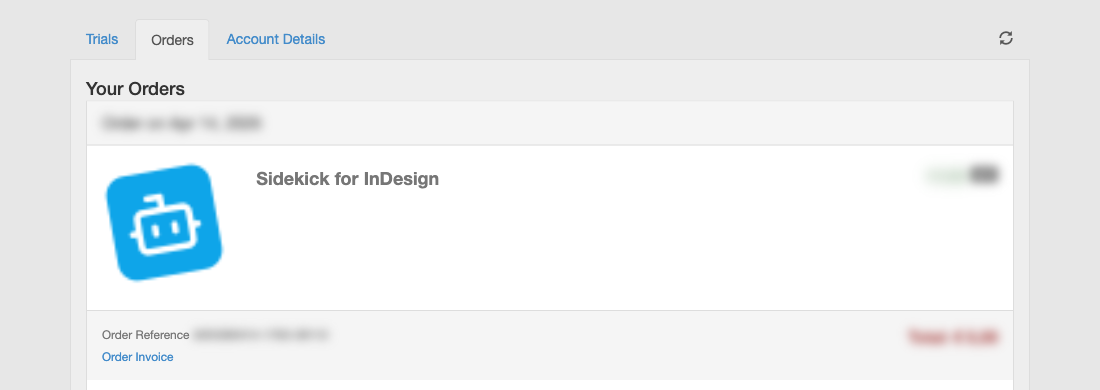
The Orders tab lists your orders. Each one shows an Order Reference (it starts with “ADO”) and an Order Invoice link. Click Order Invoice to open the receipt. Use the download icon in the top right corner to save it.
Need a PO number on it?
Click +Add PO Number at the top of the receipt and enter your purchase order number before you download it.
What the receipt shows
The seller on the receipt is FastSpring, not Adobe or East Pole. That matches your bank or card statement, where the charge shows up as FastSpring, fsprg or FS *fsprg.com.
Someone else subscribed?
The receipt can only be reached through the inbox of the email address used at checkout. If a colleague subscribed, ask them to follow the steps above, or to forward you the receipt.
Can’t find the order?
If you don’t know which email address was used, or a charge isn’t in the list, FastSpring can look it up for you:
- Go to FastSpring’s Question a Charge page and click Question a Charge. A chat window opens.
- When it asks whether the steps helped, click No, I need your help to look up this charge.
- Fill in the last name on the card, the date and amount of the charge, and the email address you think was used. Your statement has the date and the amount.
- Click Submit.
Can you send me the receipt?
Unfortunately, no. Payments go entirely through FastSpring, so we (the Sidekick team) can’t see who subscribed or what was paid, and we can’t look up or resend a receipt. The steps above are the quickest way.
Need help?
- Billing questions: [email protected]
- Product support: [email protected] (we can help with the plugin, but not with billing)
Still stuck?
Write to [email protected] and tell us what you are seeing. A person answers.